
Forgot JILI77 password is a common issue that can prevent members from accessing their accounts when they cannot recall their login credentials. On JILI77, understanding the recovery process can help users identify the correct steps without repeatedly entering incorrect information. This guide explains possible causes, account verification, and password reset procedures to help members restore access while protecting their personal details.
Reasons Members Forgot JILI77 Password
Several factors can explain why members lose access to their accounts, ranging from simple typing mistakes to outdated login credentials. Understanding the causes of Forgot JILI77 password issues helps users identify suitable solutions and avoid unnecessary recovery attempts.
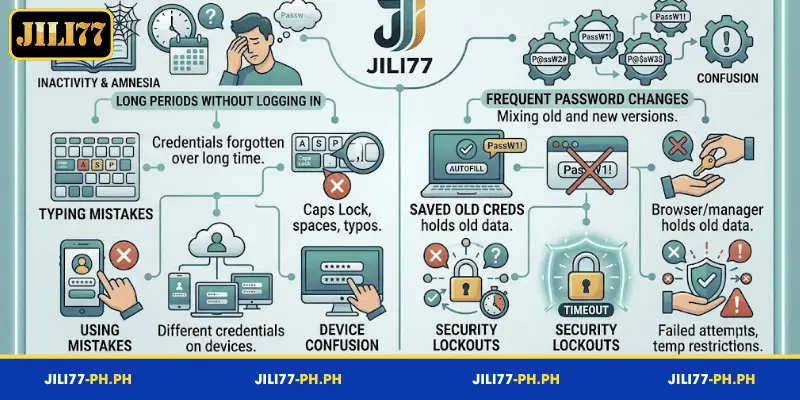
- Long periods without logging in: Members may struggle to recall credentials after weeks or months of inactivity, particularly when passwords contain complex combinations.
- Frequent password changes: Updating credentials regularly without securely recording the latest version can create confusion between old and current passwords.
- Typing errors: Incorrect capitalization, accidental spaces, an enabled Caps Lock key, or a different keyboard layout may prevent successful authentication.
- Outdated saved credentials: Browser autofill tools and password managers may retain an older password that no longer matches the account.
- Using multiple devices: Switching between computers and mobile phones can lead to confusion when different devices store different login details.
- Temporary security restrictions: Repeated unsuccessful attempts or unusual login activity may trigger additional verification or temporary access limitations.
Step-by-Step Guide to Recover a JILI77 Password
Following a clear sequence can make Forgot JILI77 password recovery easier to manage. Members should use the platform’s official recovery function, provide accurate registration details, and follow each verification instruction carefully. The exact options may vary depending on the account settings and the recovery methods supported by the service.
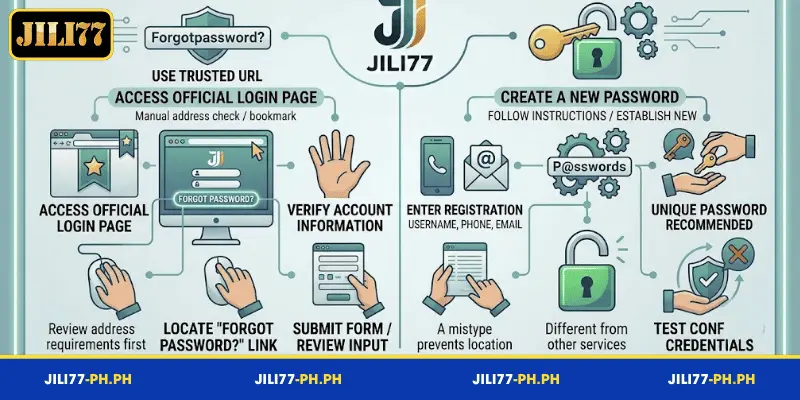
Access the Official Login Page
Begin by opening the verified JILI77 website through a trusted bookmark or a manually checked address. Avoid entering credentials through unfamiliar advertisements, messages, or links claiming to offer instant account restoration. A convincing page design alone does not establish that a website is legitimate.
Once the correct page loads, locate the password recovery option near the login fields. Select it to view the available instructions, then read the displayed requirements before proceeding. If the recovery link is unavailable, consult the platform’s published help resources rather than downloading unknown software or using unofficial services.
Verify Your Account Information
The next stage of Forgot JILI77 password recovery involves confirming the information associated with the account. Depending on the available process, the platform may request a username, registered phone number, email address, or another identifying detail. Enter only the information requested through the legitimate recovery interface.
Review every character before submitting the form. A mistyped phone number or an email address with an incorrect domain can prevent the system from locating the intended account. If several accounts or email addresses are used, make sure the details correspond to the profile requiring recovery.
Create a New Password
After completing the required checks, follow the available instructions to establish a replacement password. Choose a combination that is difficult to guess and different from passwords used for email, banking, and other online services. A unique password limits the impact if credentials from another service are exposed.
When resolving Forgot JILI77 password, enter the replacement password carefully in each required field. Use uppercase and lowercase letters, numbers, and symbols when supported, and avoid predictable details such as birthdays or phone numbers. Confirm that both password entries match before submitting the change, then test the new credentials after receiving confirmation.
Reasons Password Recovery May Fail
Even after following the correct steps, some users may encounter difficulties during Forgot JILI77 password recovery. These problems can arise from outdated contact details, temporary delivery delays, incorrect registration information, or restrictions applied during security checks. Identifying the specific issue is more useful than repeating the entire process without checking the cause.
Verification Code Not Received
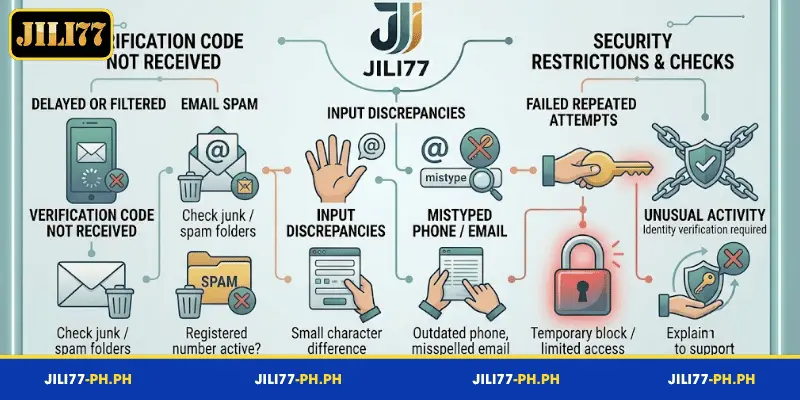
A missing confirmation code may result from network delays, message filtering, incorrect contact details, or temporary service interruptions. If the code is delivered by email, inspect the spam and junk folders. For text messages, confirm that the registered number is active and can receive incoming messages.
Wait for the stated delivery period before requesting another code. Sending multiple requests in quick succession may cause confusion if several codes arrive, and some services invalidate earlier codes when a new one is issued. Always follow the latest instructions displayed by the official recovery page.
When Forgot JILI77 password recovery remains unsuccessful, check whether the registered contact information is still accessible. Do not share the code with people offering to complete the process on your behalf. If the issue continues, contact authorized support and describe the delivery problem without revealing passwords or verification codes.
Incorrect Registration Details
Recovery may fail when the information entered does not match the original account records. Common examples include a misspelled email address, an outdated phone number, an incorrect username, or confusion between similar account identifiers. Small differences can prevent the system from matching the request to the correct profile.
Review the details you originally used to register, relying on your own records rather than guessing. If the platform provides a permitted way to check account information, use that option before submitting another request. Avoid sharing unnecessary personal documents through unverified communication channels.
For persistent Forgot JILI77 password problems caused by registration discrepancies, ask official support about the required identity checks. Explain which recovery method is unavailable and follow the published procedure. Never pay an unofficial intermediary who promises to bypass verification or guarantee immediate access.
Conclusion
Forgot JILI77 password issues can often be addressed by checking login details, completing the official verification process, and creating a unique replacement credential. Members using JILI77 should keep recovery information current and protect confirmation codes from unauthorized access. If automated recovery fails, contacting verified support is the appropriate next step. Careful account management can reduce future access problems and strengthen protection against unauthorized login attempts.