
JILI77 Login – Quick Account Access Guide for Players
JILI77 Login procedures provide registered casino players with direct access to personalized gaming dashboards, real-money wallets, and exclusive promotional rewards. Entering JILI77 requires authenticating verified account credentials, entering secure passwords, and solving dynamic check codes. Following the correct steps for JILI77 Login guarantees fast session initiation, complete data protection, and seamless mobile access across the Philippines.
Technical Login Parameters and Security Specifications
To ensure smooth account access, the login portal utilizes specific input parameters and automated validation tools. The table below details the technical specifications required during the JILI77 Login process:

| Login Input Field | Required Data Format | Security Protocol / Rule | Associated Portal Feature |
| Account Name | Alphanumeric Username | Case-sensitive verification | Auto-remember credentials |
| Password | 6–20 Characters | Encrypted SSL masking | GET P/W recovery & eye icon toggle |
| Check Code | 4-Digit Numeric Captcha | Refreshes every session | Anti-bot security validation |
Understanding these technical requirements simplifies daily account authentication when performing a JILI77 Login.
Step-by-Step Guide JILI77 Login
Accessing your gaming profile involves a simple, three-step authorization process on both mobile and desktop browsers. Whether you are checking your balance, collecting active promotional rewards, or entering your favorite game lobbies, following a systematic login routine ensures full security and instant access to your funds. Follow this detailed walkthrough to complete your JILI77 Login successfully:

Step 1 – Access the Official Portal JILI77
Establishing a secure connection to the correct website destination is the crucial first step to safeguard your personal profile information and financial assets.
- Launch Web Browser:Open your preferred web browser—such as Google Chrome, Safari, or Mozilla Firefox—on your smartphone, tablet, or desktop computer.
- Navigate to Domain:Type the official domain web address into your browser navigation bar to reach the main landing page directly.
- Verify Security SSL:Always verify that the browser address bar displays a secure lock icon alongside the HTTPS protocol indicator, ensuring your data transmission is encrypted end-to-end.
- Locate Authorization Area:Locate the account authorization bar conveniently positioned at the top header of the homepage layout for quick user access.
Step 2 – Enter Account Credentials and Password
Inputting your login credentials accurately prevents temporary account lockouts and streamlines your transition to the main gaming lobby.
- Input Username:Type your registered account username carefully into the designated “Account” field, ensuring there are no unwanted blank spaces or capital letter mismatches.
- Input Secure Password:Enter your confidential password into the designated “Password” box. You can tap or click the eye icon adjacent to the input field to toggle character visibility and double-check your typing accuracy before submitting.
- Utilize Recovery Tools:If you have forgotten your access details or need immediate password recovery assistance, utilize the “GET P/W” or “Forgot Password” button located near the authorization inputs to initiate automated SMS or email verification steps.
Step 3 – Verify Check Code and Confirm Entry
The dynamic check code serves as an essential anti-bot verification layer that protects the system database against automated login attempts and unauthorized script access.
- Inspect Dynamic Code:Check the dynamic 4-digit numeric code clearly displayed inside the adjacent check code verification box.
- Type Verification Digits:Type the exact numeric sequence into the “Check Code” verification field. If the digits appear unclear or blurry, click directly on the image box to generate a fresh verification code.
- Execute System Login:Click the main “Login” or submit button to validate your credentials, execute your JILI77 Login, and land directly on your personalized account dashboard.
Following these sequential instructions guarantees instant access to your funds every time you perform a JILI77 Login.
Key Notes When Logging Into JILI77
Maintaining proper cybersecurity habits safeguards your funds and personal information during daily login sessions. Keep these operational rules in mind when executing a JILI77 Login:
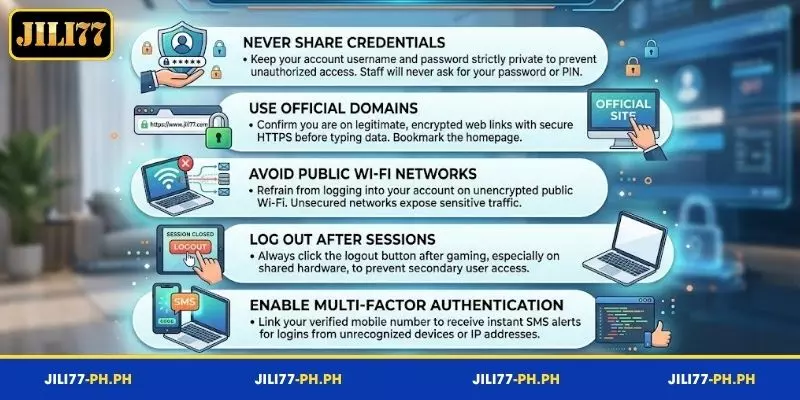
- Never Share Credentials:Keep your account username and password strictly private to prevent unauthorized profile access during JILI77 Login. Platform staff will never ask for your private password or security PIN.
- Use Official Domains:Always confirm you are accessing legitimate, encrypted web links displaying the secure HTTPS protocol before typing sensitive data for JILI77 Login. Bookmarking the official homepage prevents phishing redirects.
- Avoid Public Wi-Fi Networks:Refrain from logging into your real-money gaming account on unencrypted public Wi-Fi connections when initiating JILI77 Login. Unsecured networks expose your sensitive login traffic to potential data interception.
- Log Out After Sessions:Always click the logout button after completing your gaming activity, especially when using shared hardware, to secure your JILI77 Login and prevent secondary users from gaining access to your active balance.
- Enable Multi-Factor Authentication:Link your verified mobile number to receive instant SMS notification alerts whenever a new login attempt is detected from unrecognized devices or IP addresses.
Common Errors and Troubleshooting for JILI77 Login
Occasional authentication errors can occur due to mistyped passwords, expired captcha codes, or network delays. Execute these troubleshooting solutions if you experience issues with JILI77 Login:
Forgotten Password JILI77 and Retrieval
Losing your account password can be resolved quickly using built-in automated tools.
- Click the GET P/Wlink located inside the password field on the main page.
- Enter your registered mobile phone number to receive a temporary verification SMS code.
- Reset your security password and attempt your JILI77 Loginagain with updated credentials.
Incorrect Check Code Verification Errors
Dynamic captcha codes expire after extended idle periods to prevent automated bot entries.
- Tap the check code box image to generate a fresh 4-digit numeric code.
- Re-enter the new digits carefully into the check code field.
- Confirm that your browser enables standard JavaScript execution for accurate verification during JILI77 Login.
Temporary Account Lockouts and Support
Multiple incorrect password attempts may trigger temporary account security holds.
- Wait 15 minutes for automated security cooldown timers to reset your profile status.
- Clear your mobile browser cache and cookies to remove corrupted session logs.
- Contact 24/7 live customer support if your account remains restricted after performing a JILI77 Login.
Conclusion
JILI77 Login provides players with a fast, secure gateway to real-money gaming, featuring simple password recovery options and robust check code validation. By protecting your credentials, verifying official web domains, and resolving check code errors promptly, players can enjoy uninterrupted casino entertainment on JILI77 today.